1. Log in to your Plesk account.
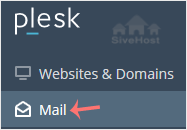
2. Click on Mail from the Sidebar Menu.
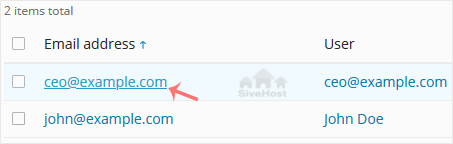
3. From the email list, click on the email account you want to rename.
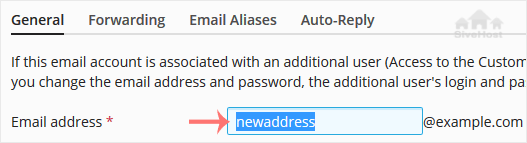
4. Enter the new email name in the email address field.
5. Scroll down and click OK.

1. Log in to your Plesk account.
2. Click on Mail from the Sidebar Menu.
3. From the email list, click on the email account you want to rename.
4. Enter the new email name in the email address field.
5. Scroll down and click OK.
Follow this tutorial to create an email account in Plesk. 1. Log in to your Plesk account....
You can access your Email directly from Webmail. Open https://webmail.example.com, and...
You can change your email password in Plesk through the following steps: 1. Log in to your...
Khubaradayadu waxay u wareejin doonaan goobtaada si badbaado leh iyada oo eber la joogo - kharash dheeraad ah la'aan. Tahriibka bilaa dhibka ah waxaa gacanta ku haya kooxdayada si aad diiradda u saarto ganacsigaaga.


Copyright © 2026 Creative Matrix. All Rights Reserved.