1. Log in to your Plesk account.
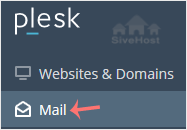
2. Click on Mail from the Sidebar Menu.
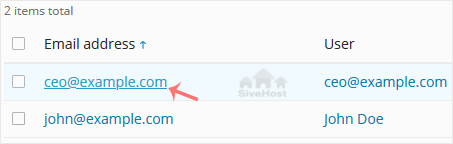
3. From the email list, click on the email account you want to rename.
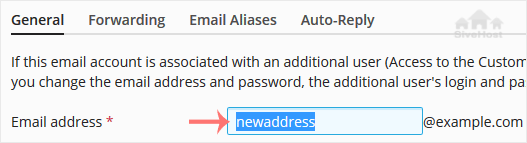
4. Enter the new email name in the email address field.
5. Scroll down and click OK.

1. Log in to your Plesk account.
2. Click on Mail from the Sidebar Menu.
3. From the email list, click on the email account you want to rename.
4. Enter the new email name in the email address field.
5. Scroll down and click OK.
Follow this tutorial to create an email account in Plesk. 1. Log in to your Plesk account....
You can access your Email directly from Webmail. Open https://webmail.example.com, and...
You can change your email password in Plesk through the following steps: 1. Log in to your...
Tingcweti tetfu titawudlulisela isayithi yakho ngendlela lephephile ngesikhatsi sekungasebenti - ngaphandle kwetindleko letengetiwe. Kufuduka lokute tinkinga lokuphatfwa licembu letfu kute ukhone kugcila ebhizinisini lakho.


Lilungelo Lekushicilela © 2026 Creative Matrix. Onkhe Emalungelo Agodliwe.