1. Log in to your Plesk account.
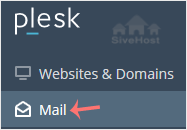
2. Click on Mail from the Sidebar Menu.
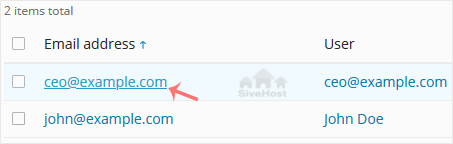
3. From the email list, click on the email account you want to rename.
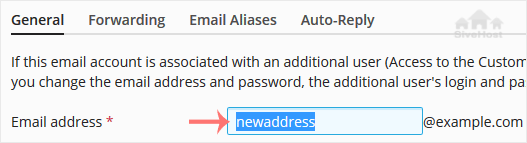
4. Enter the new email name in the email address field.
5. Scroll down and click OK.

1. Log in to your Plesk account.
2. Click on Mail from the Sidebar Menu.
3. From the email list, click on the email account you want to rename.
4. Enter the new email name in the email address field.
5. Scroll down and click OK.
Follow this tutorial to create an email account in Plesk. 1. Log in to your Plesk account....
You can access your Email directly from Webmail. Open https://webmail.example.com, and...
You can change your email password in Plesk through the following steps: 1. Log in to your...
Kwararrunmu za su canja wurin rukunin yanar gizon ku amintacce tare da lokacin faɗuwar rana - ba tare da ƙarin farashi ba. Ƙaura marar wahala da ƙungiyarmu ta sarrafa don ku iya mai da hankali kan kasuwancin ku.


Copyright © 2026 Creative Matrix. All Rights Reserved.