1. Log in to your Plesk account.
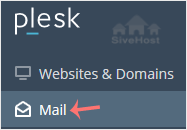
2. Click on Mail from the Sidebar Menu.
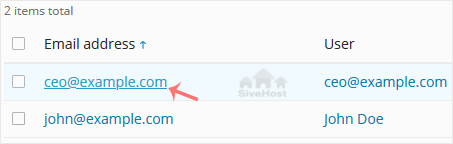
3. From the email list, click on the email account you want to rename.
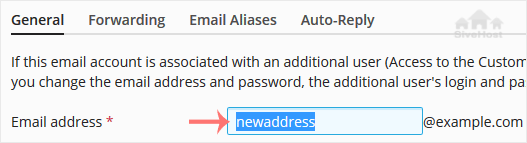
4. Enter the new email name in the email address field.
5. Scroll down and click OK.

1. Log in to your Plesk account.
2. Click on Mail from the Sidebar Menu.
3. From the email list, click on the email account you want to rename.
4. Enter the new email name in the email address field.
5. Scroll down and click OK.
Follow this tutorial to create an email account in Plesk. 1. Log in to your Plesk account....
You can access your Email directly from Webmail. Open https://webmail.example.com, and...
You can change your email password in Plesk through the following steps: 1. Log in to your...
Kɔc ŋic käŋ kuɔɔn abï ɣän duɔ̈ɔ̈n ë luɔi tääu thïn ke cïn kë cë tääu thïn - ke cïn wëu juëc ë tääu thïn. Kuɛ̈ny ë kɔc kɔ̈k ke cïn kë rɛɛc ye keek looi në akutnhomda yic ago yïn nhom ya tääu në tajiirku yiic.


Copyright © 2026 Creative Matrix. All Rights Reserved.