You can access your Email directly from Webmail.
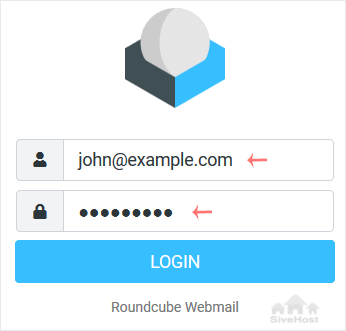
Open https://webmail.example.com, and replace example.com with your domain name. Enter your full email address and password. Then click on Login.
After successful login, you can manage emails.

You can access your Email directly from Webmail.
Open https://webmail.example.com, and replace example.com with your domain name. Enter your full email address and password. Then click on Login.
After successful login, you can manage emails.
Follow this tutorial to create an email account in Plesk. 1. Log in to your Plesk account....
You can change your email password in Plesk through the following steps: 1. Log in to your...
1. Log in to your Plesk account. 2. Click on Mail from the Sidebar Menu. 3. From the...
Vhaḓivhi vhashu vha ḓo fhirisela saithi yaṋu nga nḓila yo tsireledzeaho hu si na tshifhinga tsha u shuma - hu si na mbadelo dzo engedzeaho. U pfulutshela hu si na vhuleme ho shumiwaho nga tshigwada tshashu u itela uri ni kone u livhisa ṱhogomelo kha bindu ḽaṋu.


Copyright © 2026 Creative Matrix. Pfanelo Dzoṱhe Dzo Vhewa.