You can access your Email directly from Webmail.
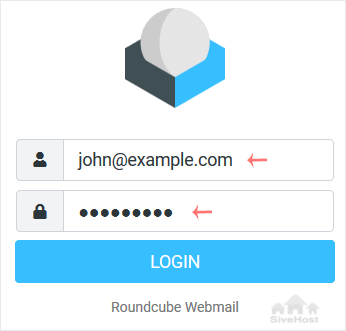
Open https://webmail.example.com, and replace example.com with your domain name. Enter your full email address and password. Then click on Login.
After successful login, you can manage emails.

You can access your Email directly from Webmail.
Open https://webmail.example.com, and replace example.com with your domain name. Enter your full email address and password. Then click on Login.
After successful login, you can manage emails.
Follow this tutorial to create an email account in Plesk. 1. Log in to your Plesk account....
You can change your email password in Plesk through the following steps: 1. Log in to your...
1. Log in to your Plesk account. 2. Click on Mail from the Sidebar Menu. 3. From the...
Akatswiri athu adzasamutsa tsamba lanu motetezeka ndi zero kutsika - popanda mtengo wowonjezera. Kusamuka kosavutikira komwe kumayendetsedwa ndi gulu lathu kuti mutha kuyang'ana kwambiri bizinesi yanu.


Copyright © 2026 Creative Matrix. All Rights Reserved.